Understanding the Constant Contact Countdown Timer
1. What is a Countdown Timer?
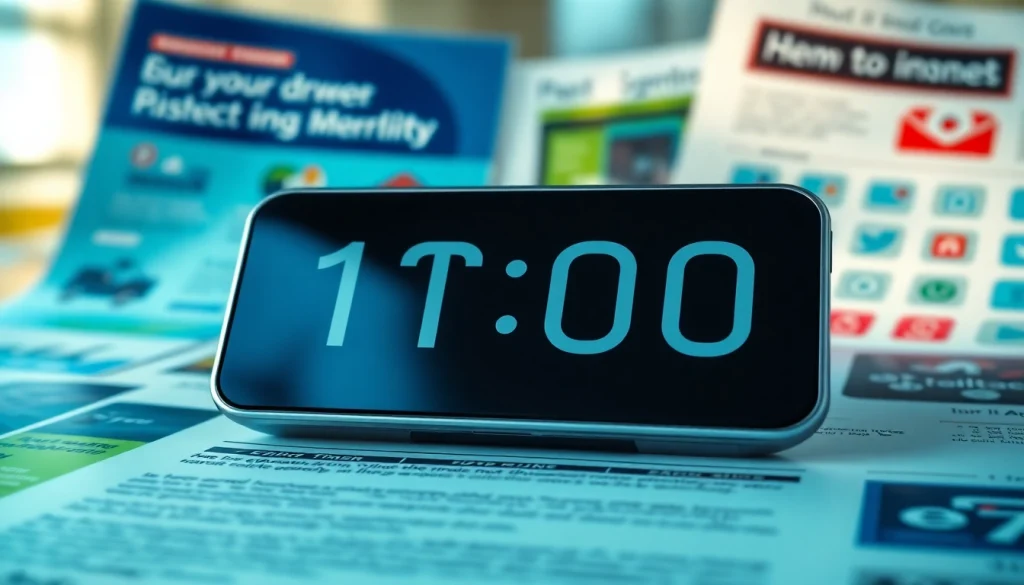
A countdown timer is a visual representation of time decreasing towards a specific event or deadline. Commonly used in marketing and e-commerce, countdown timers serve as a tool to create urgency among consumers. When placed strategically within promotional materials, particularly emails, these timers effectively prompt recipients to take immediate action, enhancing engagement and conversion rates.
2. Benefits of Using Countdown Timers in Emails
- Creates Urgency: Countdown timers leverage the psychology of urgency, compelling recipients to act quickly to avoid missing out on limited-time offers.
- Enhances Engagement: Visually appealing countdowns can enhance email design, making messages more engaging and less likely to be ignored.
- Increases Conversion Rates: When customers see a ticking clock, they are more likely to make quick purchase decisions, thereby boosting conversion rates.
- Improves Click-Through Rates: Emails featuring countdown timers typically see higher click-through rates, as customers feel a sense of urgency to engage with the content.
3. How Constant Contact Integrates Countdown Timers
Constant Contact allows users to seamlessly integrate countdown timers into their email campaigns, making it a popular choice for marketers who wish to enhance their email marketing strategies. By embedding these timers, you can provide your audience with a clear visual cue of the time left for a promotion or sale, inherently driving action. Tools like the constant contact countdown timer can simplify this process through user-friendly interfaces, ensuring even those without technical expertise can effectively utilize countdowns.
Steps to Add a Countdown Timer to Your Constant Contact Campaign
1. Selecting the Right Countdown Timer Tool
Before integrating a countdown timer into your Constant Contact emails, it is crucial to select an appropriate countdown timer tool. Options vary widely, from standalone solutions to integrated features within platforms like Constant Contact. Key considerations when choosing a tool include:
- User-Friendliness: Opt for a tool that provides a simple, intuitive interface, making it easy to create and customize your countdown timers.
- Customization Options: Look for features that allow you to personalize the appearance of your timer, such as colors, fonts, and formats, enabling it to align with your brand identity.
- Responsive Design: Ensure your chosen tool creates timers that are mobile-friendly, as a significant portion of email opens occur on mobile devices.
- Integrations: Verify that the timer tool can easily integrate with Constant Contact without requiring complex setups.
2. Integrating with Constant Contact Interface
Once you have selected a countdown timer tool, the next step is to integrate it with your Constant Contact email campaigns. Here’s a step-by-step approach:
- Create the Timer: Use your chosen timer tool to generate a countdown timer. Fill in details such as the end date and time for your countdown, along with customization preferences.
- Copy the HTML Code: Most countdown timer generators will provide you with an HTML code snippet once your timer is created. Copy this code.
- Access Constant Contact: Log into your Constant Contact account and navigate to the email campaign section where you wish to include your timer.
- Insert a Text Block: Add a new text block where you want your countdown timer to appear. In the editing options, switch to HTML view.
- Paste the Countdown Code: Paste the copied HTML code for your countdown timer into the block.
- Preview and Test: Always preview your email to ensure the timer displays correctly. Send test emails to various email platforms to verify functionality.
3. Customizing Your Timer for Audience Engagement
Customization of your countdown timer is vital for audience engagement. Ensure it mirrors your brand identity and is visually appealing. Here are some tips:
- Align with Brand Colors: Use colors that match your brand’s palette to maintain consistency and recognition.
- Choose Appropriate Fonts: Select typefaces that are easy to read and reflect your brand’s personality.
- Add Clear Calls to Action: Accompany your countdown timer with compelling CTAs that encourage immediate action, such as “Shop Now” or “Grab Your Discount.”
- Include a Sense of Excitement: Utilize language that conveys excitement and urgency, fostering a mentality that pushes the reader towards a decision.
Best Practices for Using Countdown Timers in Email Marketing
1. Crafting Compelling Urgency Messages
Crafting messages that evoke urgency is crucial when using countdown timers. Consider the following approaches:
- Use Clear Deadlines: State the exact time when a deal expires, offering a clear deadline that prompts readers to act.
- Create Scarcity: Phrases like “Only limited stock available!” can heighten urgency, driving action from your audience.
- Personalize Messages: Leveraging data, tailor messages to individual users for a more engaging experience, which may lead to higher conversion rates.
2. Timing Your Campaigns Effectively
Effective timing significantly impacts the success of your countdown timer campaigns. The following guidelines can help optimize timing:
- Seasonal Offers: Align countdown timers with seasonal promotions and events, such as holidays or product launches, to maximize relevance.
- Advance Notice: Consider sending initial emails with longer countdowns leading up to sales to build anticipation.
- Frequent Reminders: Follow-up emails at strategic intervals as the deadline approaches can serve as reminders, further encouraging purchases.
3. A/B Testing Your Countdown Timers
A/B testing is an essential part of optimizing your email marketing efforts. Conduct tests on your countdown timers to determine what works best by varying elements such as:
- Timer Design: Test different designs to measure which ones yield higher engagement rates.
- Message Wording: Alter urgency messages to see which generates more conversions based on wording or phrasing.
- Timing of Emails: Experiment with sending emails at different times and days to identify optimal sending times for your audience.
Common Challenges and Solutions with Countdown Timers
1. Technical Issues with Email Clients
Countless email clients render HTML elements differently, which can lead to unforeseen display issues. To address these challenges:
- Testing: Always conduct tests across multiple email clients (Gmail, Outlook, Apple Mail, etc.) to ensure your countdown accurately displays everywhere.
- Alternative Formats: Offer backup images or plain text backups in case the HTML isn’t rendered correctly in certain clients.
2. Designing for Mobile Responsiveness
Since a substantial portion of emails are opened on mobile devices, ensuring your countdown timer is mobile-responsive is critical. Solutions include:
- Responsive Design Techniques: Use percentages and flexible grid layouts in your design to ensure timers adjust according to screen sizes.
- Testing Mobile Displays: Always preview emails on mobile devices, checking timers for alignment and readability.
3. Measuring the Effectiveness of Your Timer
Measuring the effectiveness of countdown timers is essential for understanding their impact. Consider using metrics such as:
- Click-Through Rates: Monitor the number of clicks on your emails featuring countdown timers compared to those without.
- Conversion Rates: Assess the percentage of values converted from email campaigns with countdown timers compared to average campaign conversions.
- Engagement Metrics: Track opens, shares, and interactions specifically attributed to emails containing timers to gauge their effectiveness.
Future Trends in Email Marketing with Countdown Features
1. Personalization and Dynamic Timers
The future of countdown timers may lie in enhanced personalization, enabling timers to react dynamically to individual user actions. Features to look out for include:
- Behaviorally Triggered Timers: Timers that change based on user interaction or engagement history, creating a customized experience for each recipient.
- Real-Time Updates: Incorporating technology that updates countdowns in real-time based on user location or activity.
2. Integration with Automation Tools
The trend toward marketing automation will likely affect how countdown timers are utilized. Key points of interest include:
- Automated Follow-Ups: Automatically triggering additional countdown timers based on user behavior or lack of action.
- Audience Segmentation: Using timers strategically segmented based on user profiles or preferences may improve engagement and conversion rates.
3. Innovations in Timer Technology
As technology in email marketing continues to develop, so too will countdown timer capabilities. Possible innovations could encompass:
- Enhanced Interactive Features: Development of timers that allow user interaction beyond a simple display, potentially including voting or feedback mechanisms.
- Virtual and Augmented Reality: Exploring innovative ways to incorporate timers within AR and VR environments, potentially changing how consumers interact with countdown elements.